What Is a Fleet Camera and How Does It Work?
A Fleet Camera is a vehicle-mounted recording system designed to improve visibility across commercial transport operations. It may capture the road ahead, the driver’s cabin, nearby vehicles, or loading areas. Some systems also connect with GPS, speed data, and impact sensors. Together, these tools create a clearer picture of what happened during a journey.
In practical fleet management, camera footage can support driver coaching, incident review, and safer route planning. A sudden brake may trigger a short recording before and after the event. The clip can show traffic conditions, weather, road markings, and vehicle movement. Managers may review footage through a local device or secure cloud platform. However, the camera does not understand every situation. Context still matters.
Good systems require careful installation, regular maintenance, and clear access controls. A dirty lens can hide a cyclist. Poor positioning can reduce useful coverage. Storage settings also affect how long evidence remains available. These details are easy to overlook.
It is not a magic witness.
Reliable use depends on accurate timestamps, stable connections, and trained reviewers. Fleet operators should also explain how cameras work to drivers and protect recorded information responsibly. A camera can encourage safer habits, but it cannot replace sound judgment, proper training, or vehicle inspections. This guide examines what a Fleet Camera is, how its main components work, and where its practical limits deserve closer attention.
Definition and Core Components of a Fleet Camera
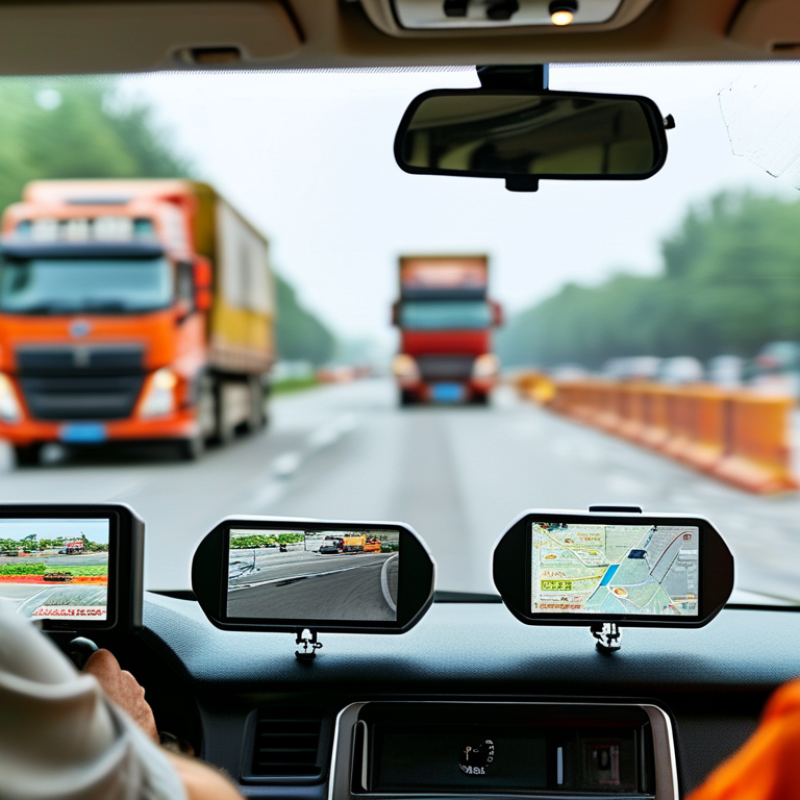
A fleet camera is an in-vehicle recording and monitoring system for commercial vehicles. It usually combines one or more cameras, a processing unit, GPS, mobile connectivity, and local storage. Some systems face the road, while others record the driver’s area or vehicle surroundings. The camera captures video continuously or after events such as sudden braking, sharp turns, or impacts. GPS adds location and speed data, creating useful context for each recording.
The core components work together. Image sensors collect visual details, including lane markings, headlights, and nearby vehicles. A processor analyzes footage and detects selected driving events. GPS records position, direction, and speed. Cellular communication can send alerts or short clips to a secure dashboard. Local memory stores footage when coverage is weak. A stable power connection is essential, but poor installation may cause interruptions. Cameras also have limits. Rain, darkness, glare, and blocked lenses can reduce accuracy. Human review remains important.
Tips: Clean the lens regularly. Check camera angles after maintenance. Test night footage, not only daytime footage. Set practical recording rules and protect access to stored video. Driver feedback should explain what happened, not merely assign blame. Even reliable equipment can misunderstand a complex scene, so supervisors should verify events before making decisions. Calibration records and maintenance logs add useful evidence. Yet, they are often neglected.
Key Features Used for Fleet Safety and Monitoring
What Is a Fleet Camera and How Does It Work?
Key Features Used for Fleet Safety and Monitoring
A fleet camera is a vehicle-mounted system that records road conditions, driver actions, and nearby events. Most systems use forward-facing, cabin-facing, or dual-lens cameras. They may also connect with GPS, cellular networks, and vehicle sensors. Video can upload automatically after harsh braking, collisions, or sudden swerving. This creates a clearer record than memory alone. It also exposes gaps in daily driving habits.
Driver monitoring is a central safety feature. Artificial intelligence can flag phone handling, fatigue indicators, missing seat belts, or distracted attention. NHTSA reported 3,308 deaths involving distracted driving in 2022. That figure shows why real-time alerts matter, although alerts can become noise when settings are too sensitive. Human review remains necessary. A camera should support coaching, not replace it.
Road-facing video also helps investigate close following, unsafe lane changes, and blocked visibility. GPS can connect each event with speed, location, and time. The FMCSA reported 5,837 large trucks and buses involved in fatal crashes during 2022. Fleet managers can use this data to identify repeat risks, improve routes, and document incident details. Clear privacy policies and limited access are essential. The weakest point may be follow-through. If managers collect footage but ignore repeated warnings, the technology loses much of its value. A practical system needs reliable storage, accurate calibration, and regular driver feedback. None is perfect.
How Fleet Camera Systems Connect to Fleet Management Platforms
A fleet camera is more than a windshield recorder. It captures road views, cabin activity, and driving events during daily operations. When connected to a fleet management platform, it becomes a live source of operational information. The camera usually sends video clips, time stamps, location data, and vehicle details through a secure cellular connection. The platform then organizes these records in one dashboard.
A sudden brake can trigger an event clip. The platform may match that clip with speed, GPS position, and route history. A manager can review the incident without searching through hours of footage. Some systems also provide alerts for harsh driving, distraction, lane movement, or possible collision risks. Clear dashboards help safety teams identify repeated patterns, such as hard braking near the same intersection. That evidence supports targeted coaching instead of vague criticism.
Data quality still depends on network coverage, camera placement, storage settings, and sensor accuracy. A delayed upload can weaken an urgent review. False alerts also happen. Human judgment remains necessary. Fleet teams should check access controls, retention periods, and local privacy requirements before using recorded footage. They should explain monitoring policies clearly to drivers and protect sensitive video from unnecessary access. In practice, the best results come from combining camera evidence with maintenance records, route data, and driver feedback. The technology helps, but it does not replace responsible management.
Privacy, Installation, and Maintenance Considerations
A fleet camera is a vehicle-mounted system that records roads, cabins, or both. It usually combines video, GPS, motion sensors, and event detection. When harsh braking or a collision occurs, the camera can preserve footage before and after the event. NHTSA recorded 42,514 U.S. traffic deaths in 2022, while FMCSA reported 5,837 large trucks involved in fatal crashes that year. These figures explain why reliable visual evidence matters. Installation should not block the driver’s view. Technicians must secure wiring, test night images, and confirm that the lens remains stable on rough roads.
Privacy needs equal attention. A cabin-facing camera may capture faces, conversations, medical details, or private moments. Fleet operators should explain the purpose, recording range, retention period, and access rules before deployment. The 2023 Data Breach Investigations Report found that human involvement appeared in 68% of reported breaches, showing why careless access can create serious exposure. Password controls, encryption, limited permissions, and automatic deletion reduce that risk. Local privacy requirements still differ. One policy cannot fit every route.
Maintenance is more than wiping the lens. Dust, glare, vibration, damaged seals, and weak power connections can quietly ruin evidence. Inspect cameras during scheduled vehicle checks. Review sample footage monthly. Replace cracked mounts quickly. A useful process records inspection dates and failed tests. Still, camera footage is not perfect. It may miss a blocked angle or misread a harmless movement. Treat automated alerts as prompts for trained human review, not final judgments.
Fleet Camera Storage Requirements by Video Resolution
A fleet camera records video continuously or when triggered by an event. The chart estimates the storage required for one camera over 24 hours at constant H.264 bitrates. Actual usage varies with scene complexity, frame rate, compression, and recording settings.
Privacy controls should include a clear recording purpose, limited retention, restricted access, and appropriate notice to drivers or other affected individuals. During installation, cameras should be positioned to capture the road and vehicle surroundings without unnecessarily recording private areas. Maintenance should include checking lens cleanliness, power connections, storage capacity, firmware status, timestamps, and sample footage quality.